
★★★★★
Beautifully designed and effortless to use
“The Second Brain Notion Template is exactly what I needed. The typography and layout hierarchy are impeccably done, making editing and printing completely hassle-free.”
 CURRENT EDITION SOLD OUT
Branded product imagery. High-resolution digital files available immediately after purchase.
Second Brain Notion Template — Overview & Mockup
Your whole life, out of your head and into one calm place
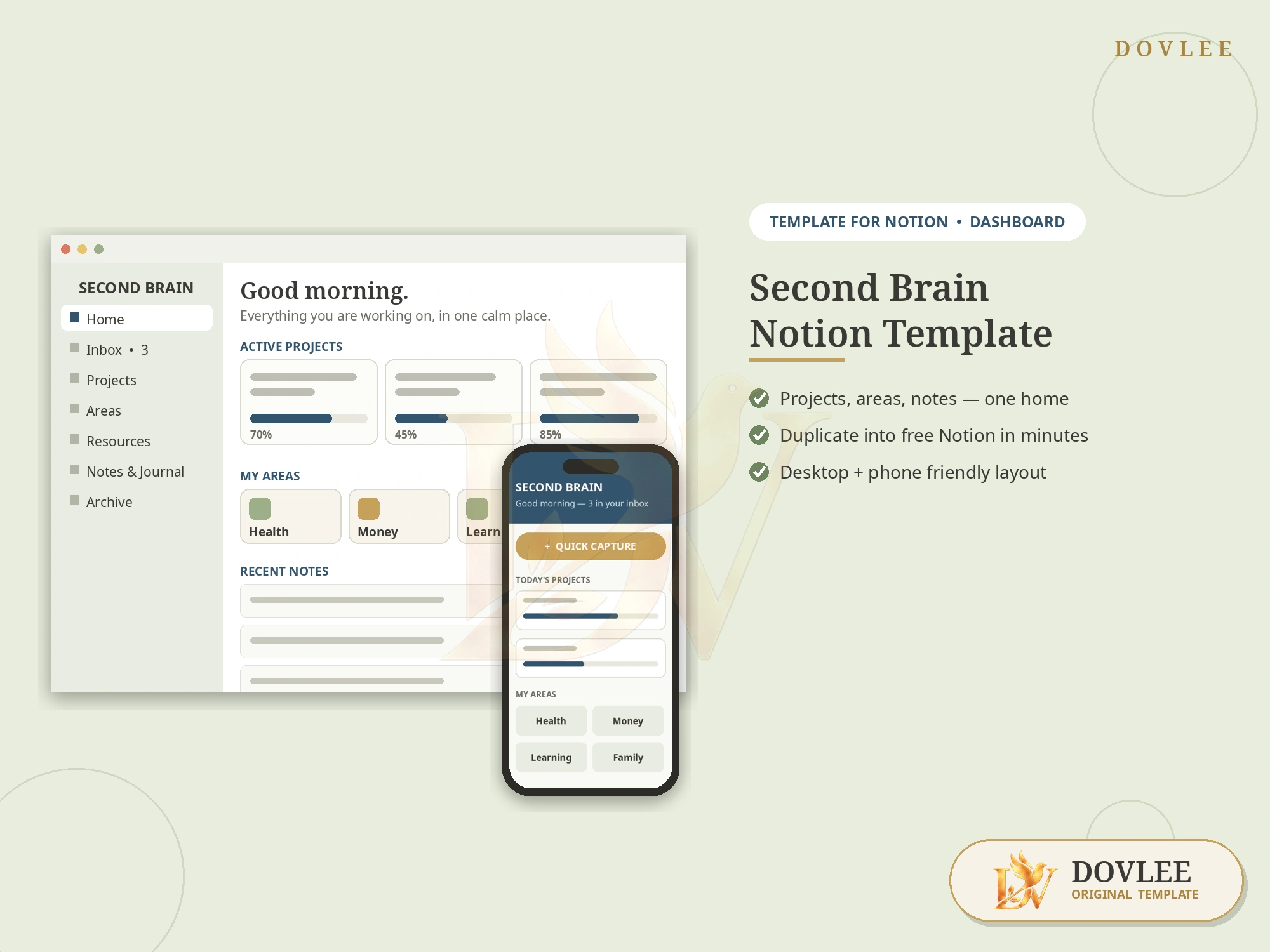
The Second Brain Notion Template by Dovlee is a ready-made Notion workspace that you duplicate into your own account. It includes a dashboard home with active projects and progress bars, a projects tracker (to do, doing, done), areas & resources pages for health, money, learning and family, a notes & journal system and a quick-capture inbox, plus a setup guide. It works with a free Notion account. It is an instant digital download. Dovlee is not affiliated with Notion Labs, Inc.; this is a template for use with Notion.
As the creative landscape transforms with AI, DOVLEE is collaborating with leading independent designers and typographers to elevate our digital templates into human-crafted, premium works of functional art. Save this design to your wishlist to receive private early access when the next edition opens.
Projects in one app, notes in another, ideas in your head at 2 a.m. — that is not a system, that is a storage problem. This second brain gives everything one home inside Notion: what you are working on, the areas of life it belongs to, and every note and idea captured before it evaporates. Duplicate it, rename the areas to match your life, and the calm is immediate.
No card details are collected on this website. When available, checkout opens on the selected platform or payment provider.
Who it is for: Notion users who want a ready-made structure, freelancers and students juggling projects, and anyone whose notes live in five different apps
Instantly. After checkout you get a download with the Notion template link and a short PDF setup guide (on Dovlee, Etsy or Gumroad, wherever you purchased). Open the link while signed in to Notion and press Duplicate.
No. Dovlee is an independent design studio. This is a template made FOR Notion; Notion is a trademark of Notion Labs, Inc., which does not endorse or sponsor this product.
No. The template is built to run on Notion's free plan. If you already have Notion Plus, it works there too — nothing extra is required.
About five minutes: open the link, click Duplicate, and the full workspace — dashboard, projects, areas, notes and inbox — appears in your account, ready to rename.
Yes, completely. Areas, project names, pages and views are ordinary Notion content: rename them, delete what you do not need and add your own. The structure is a starting point, not a cage.
Yes. Once duplicated, the workspace syncs through your Notion account to the Notion apps on phone and tablet, including the quick-capture inbox for ideas on the go.
“The Second Brain Notion Template is exactly what I needed. The typography and layout hierarchy are impeccably done, making editing and printing completely hassle-free.”
“Everything was presented with extraordinary clarity. The files were organized, easy to open in my preferred software, and saved me hours of work.”
“The typography, spacing, and styling feel so elevated. Delivery was immediate after checkout, and the included guide answered every question.”
 EDITION SOLD OUT
Edition Sold Out · Next Drop in Studio
 EDITION SOLD OUT
Edition Sold Out · Next Drop in Studio
 EDITION SOLD OUT
Edition Sold Out · Next Drop in Studio
 EDITION SOLD OUT
Edition Sold Out · Next Drop in Studio